
Composer
The textarea at the bottom of the overlay. Plain text, image attachments, skill attachments, and caret-anchored autocomplete from multiple sources.
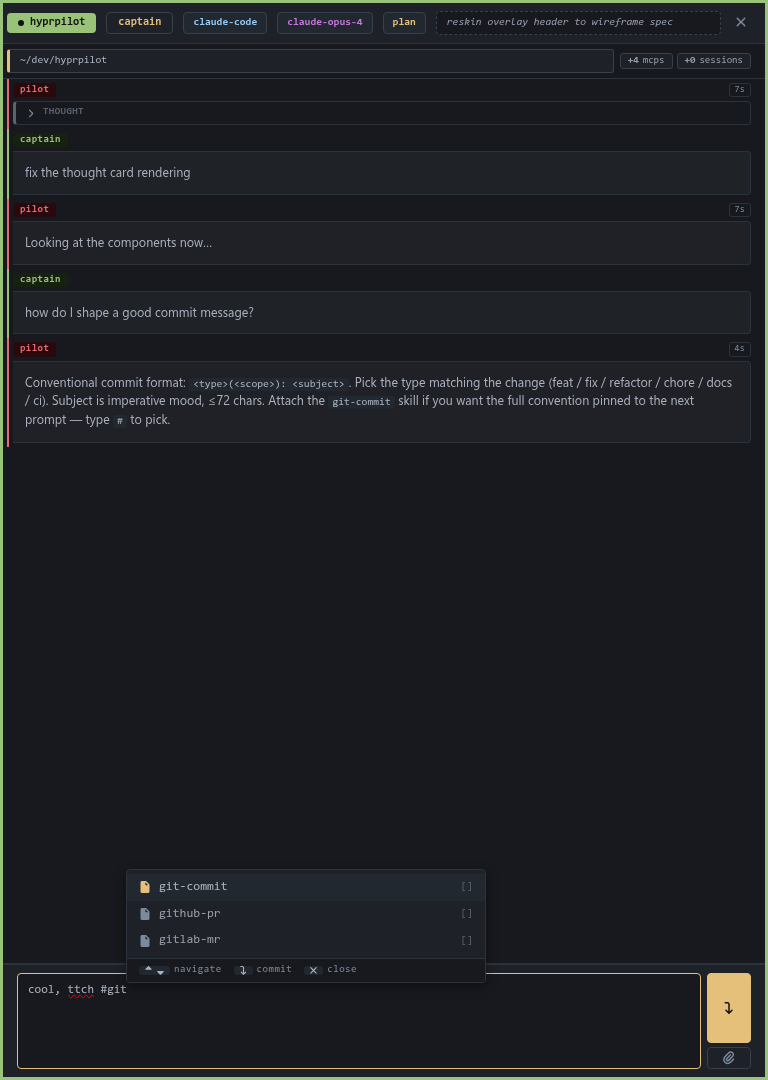
Autocomplete
| Type | When | What it does |
|---|---|---|
| Skills | #<query> at a word boundary | Picks a skill; attaches its content to your next prompt as context. |
| Paths | ./ / ~/ / /<path> at a word boundary | Inserts the resolved absolute path. |
| Commands | /<query> at the start of a message | Slash commands (e.g. /clear). |
| Word search | Tab or Ctrl+Space (3+ chars typed) | Inserts a matching word from your cwd files or the current transcript. |
Keymap
| Key | Closed | Open |
|---|---|---|
Type a sigil (#, /, ./) | Opens with that source | Refines the query |
Tab | Opens word search | Commits highlighted row |
Ctrl+Space | Force-opens at the caret | Commits highlighted row |
↑ / ↓ | Walks composer history | Navigate rows |
Enter | Submits the message | Commits highlighted row |
Esc | (falls through) | Closes the popover |
| Backspace past the sigil | n/a | Closes the popover |
Attachments
- Images. Drag image files in from your file manager or
Ctrl+Pto paste from clipboard. They're encoded inline as PNG. - Skills. Pick one via
Ctrl+K → skillsor the#<name>sigil. The skill content rides on your next prompt — the agent reads it as context before your instructions.
Submit + queue
Enter sends. If a turn is already running, the prompt queues above the composer — you can edit or delete queued items before they fire. Ctrl+Enter dispatches the next queued item manually.
Tuning autocomplete
If word-search is too eager (or too lazy):
toml
[completion.ripgrep]
auto = true              # auto-trigger on typing
debounceMs = 80          # wait this long before firing
minPrefix = 3            # don't trigger on 1-2 char queries